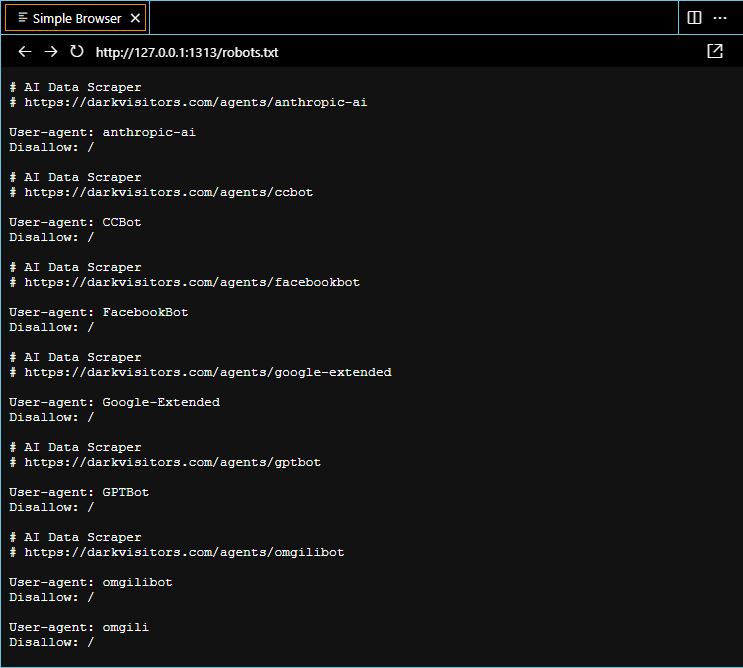
In the ever-evolving landscape of the internet, websites are constantly under the watchful eyes of various entities, including search engines and automated bots. While search engines play a crucial role in driving organic traffic to your site, not all bots have good intentions. Some automated agents, powered by artificial intelligence (AI), may scrape your website content for malicious purposes, including content theft, data mining, SEO manipulation, price scraping, vulnerability scanning, DDoS attacks, etc. This is where the humble robots.txt file steps in as your first line of defense.
What is robots.txt?
The robots.txt file is a web standard used by sites to communicate with web crawlers and other automated agents, specifying which parts of the site should not be crawled or analyzed. It serves as a set of instructions for web robots & AI, outlining the areas they are allowed to access and those they should avoid. Essentially, it’s a virtual “DO NOT ENTER” sign for bots.
Crafting an Effective robots.txt File with Dark Visitors
Dark Visitors is a curated list of known AI agents currently roaming the internet (see script below to parse the list). It may be accessed at darkvisitors.com. In order to utilize this list, you must create a robots.txt text file within the root of your website (investigate how to do this for your website solution). For hugo users, add enableRobotsTXT = true to your config.toml and make a robots.txt file in /layouts.
In order to customize this list into something like the screenshot at the top of this site, we must decide which agents to block, and which to allow through. I have crafted a quick payload on my linux machine with the command-line tool cURL to do this for me:
curl -s https://darkvisitors.com/agents | grep -o '<div class="name agent-name">.*</div>' | sed 's/<div class="name agent-name">\(.*\)<\/div>/\1/'
Essentially, this script parses the site for an updated list of all of the agents that are currently tracked by the website & sorts the content with grep and sed.
Personally, I do not block all of these agents, just the most important AI data scrapers for simpler bot protection. Here is the robots list that I currently use (also in this sites /robots.txt :D)
User-agent: anthropic-ai
Disallow: /

User-agent: CCBot
Disallow: /

User-agent: FacebookBot
Disallow: /

User-agent: Google-Extended
Disallow: /

User-agent: GPTBot
Disallow: /

User-agent: omgilibot
Disallow: /

User-agent: omgili
Disallow: /
Again, you can customize this list any way you want, but this configuration makes me feel a bit more secure in this crazy age of mass-botting & web-scraping AI.
Testing Full Functionality
As a quick way to demonstrate the power of this agent whitelisting, I am going to pass this post’s URL into ChatGPT 4 & see how it reacts.
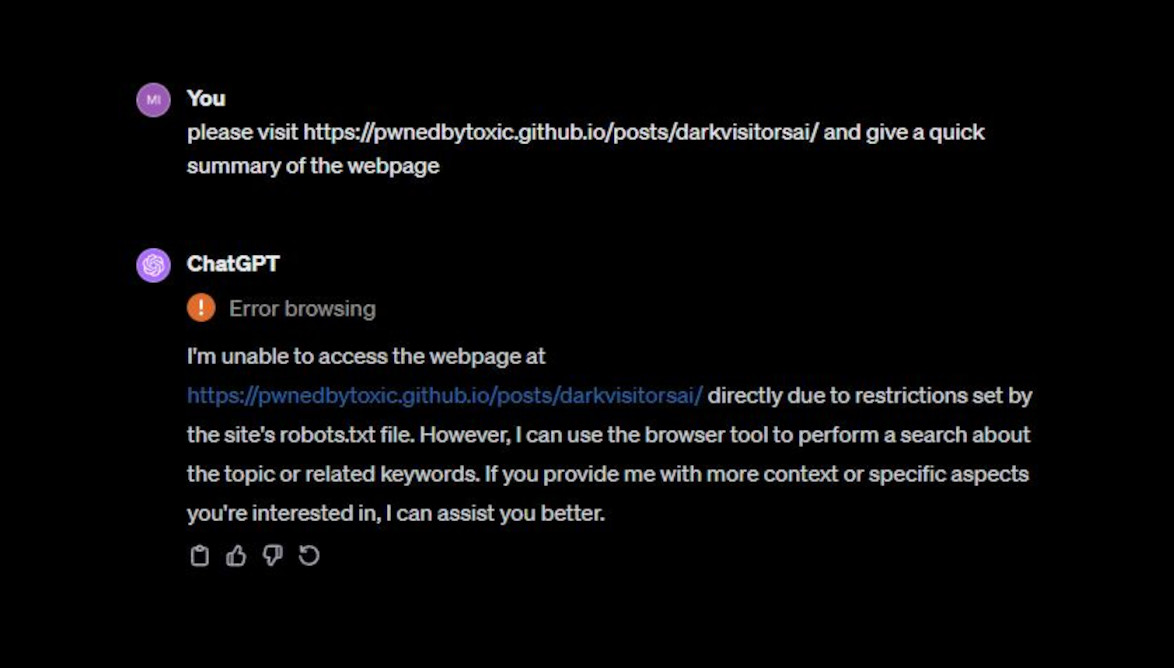
Perfect.
Happy Hacking!