Are you struggling to find adequate resources to get certified in IT & Cybersecurity?
In this blog post, we’ll walk step-by-step into the process of obtaining a free Udemy Business account, unlocking a load of new educational content for all the CompTIA & Cisco certifications your heart desires.
For those of you reading from CVCC, we are a CompTIA Academic Partner – any students serious about their career may take these certifications on their own time for cheap. Get your study up!!!
But first, peep what’s possible. 🚀
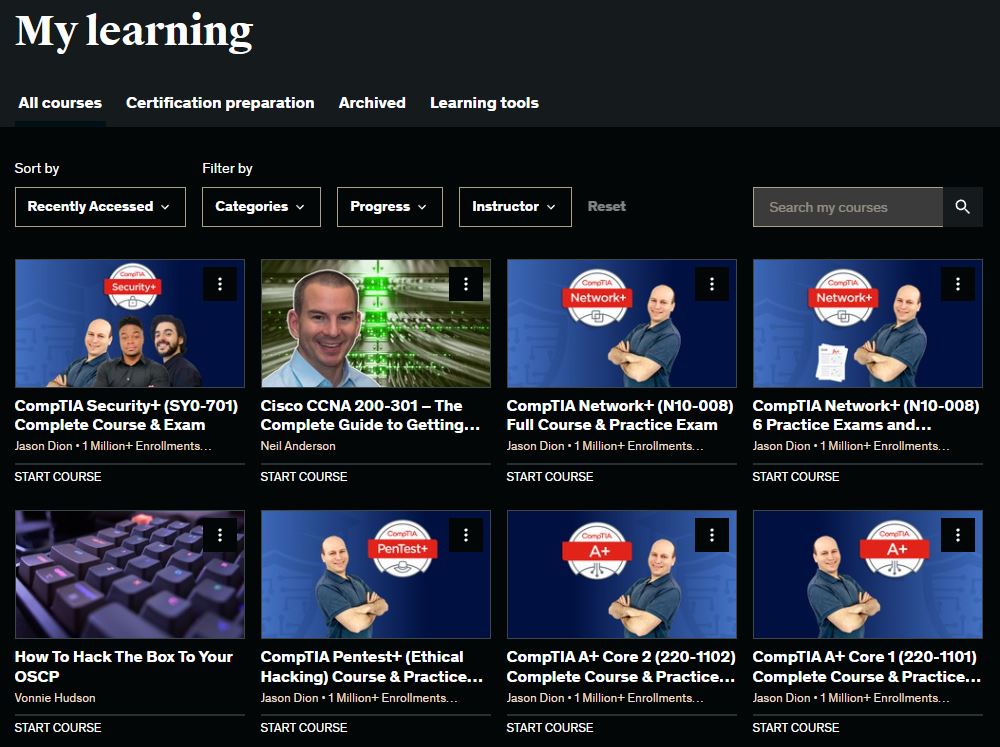
In the screenshot above, you can see the free Udemy courses I’ve unlocked through Udemy Library Access – Comptia A+, Security+, Network+, Pentest+, Cisco CCNA, Offensive Security OSCP, and more. All completely free of charge for me.
What is Udemy Library Access?
Udemy Library Access is, in their own words, "A platform providing instruction for adults who want to upskill for a new job, advance in their current profession, or deepen a personal interest. With Gale Presents: Udemy, your library can connect patrons to thousands of video-based courses in business, technology, software, and personal development" For us in the Information Technology and Information Security space, this means FREE access to certification-prep courses through Udemy, given that you are a member of a GALE-recognized library. As a resident of Twinsburg, the Twinsburg Public Library (TPN) offers these free courses to all members with a library card. Check your library’s eligibility status on their database.
- NOTE: any participating institution works – college students and GALE-recognized K12 students may also take advantage of this.
Step 1: Obtain a Library Card
To access Udemy Library Access, you’ll need a library card from a participating library. If you don’t have one, follow these steps:
-
Visit Your Local Library: Head to your local participating library (TPN for me) and inquire about obtaining a library card. Because I am 16, I just hit the threshold for qualification.
-
Provide Identification: You may need to provide identification and proof of residency to register for a library card. For me, this was my Ohio Driver’s Permit.
-
Complete the Registration: Fill out any required forms and complete the registration process. Once approved, you’ll receive your library card.
Step 2: Sign Up for Udemy Library Access
With your library card in hand, you can now sign up for Udemy Library Access:
-
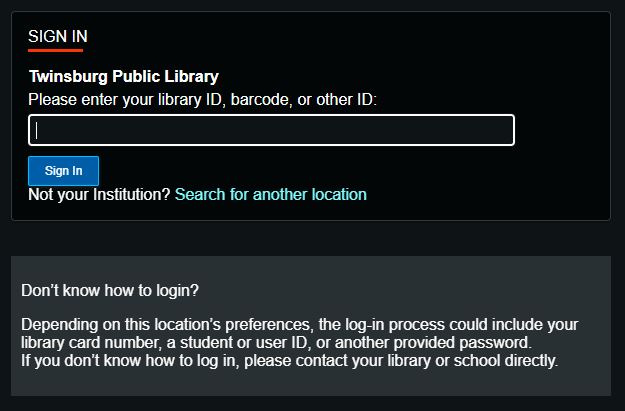
Visit the Udemy Library Access Website: Go to the Udemy Library Access website using this link or by visiting the Udemy Library Access page on your library’s website.
-
Log in with Your Library Card: Use your library card credentials to log in to the Udemy Library Access platform.
-
Create a Udemy Account: If you don’t already have a Udemy account, you’ll need to create one. Provide the necessary information and it will be linked to your library card.
Step 3: Select your Certifications
Now that you’re signed up, you can choose your perferred certifications:
-
Browse Certification Categories: Udemy Library Access often categorizes courses by certification type. Browse categories like “Cybersecurity,” “Networking,” “Ethical Hacking,” or specific certifications like “CompTIA A+” or “CompTIA Security+.”
-
Read Course Descriptions: Click on each course to read its description, reviews, and curriculum. Make sure the content aligns with your learning objectives.
-
Enroll in Courses: Enroll in the courses that interest you. Udemy Library Access allows you to add courses to your account at no cost using your library subscription.
-
Complete the Certification Path: Many cybersecurity courses on Udemy are structured to help you achieve specific certifications. Follow the recommended order of courses to complete a certification path & pass your exams!!
Big shoutout to Dominique Hendricks on LinkedIn for making me aware of this resource.
Happy learning! 🌐🔒